Open your own site in a clean browser profile, load the homepage, and look at what has already been written to the machine before you clicked anything. Most site owners doing this for the first time find identifiers they did not knowingly install: a cookie from an embedded video player, a pixel that arrived with a marketing tag two years ago, a session identifier belonging to a chat widget nobody has used since the last redesign.
None of that is unusual. It is the normal state of a site that has been running for a few years, and it is also the reason cookie banners so often describe a site that no longer exists. The banner lists what someone believed was there when it was written. The browser shows what is there now.
Reconciling those two is a specific piece of work, and it is worth doing before any consent tooling gets configured, because a consent mechanism built on an inaccurate inventory produces confident-looking compliance over an unexamined foundation.
The Rule Is Not Where Most People Look for It
The requirement to ask permission before setting a cookie does not come from the GDPR. It comes from the ePrivacy Directive, and the distinction changes what you are actually auditing.
Article 5(3), as amended in 2009, states that “storing of information, or the gaining of access to information already stored, in the terminal equipment of a subscriber or user is only allowed on condition that the subscriber or user concerned has given his or her consent.” Read that carefully: the trigger is storage or access on the device. It is not conditional on the information being personal data. A random string that identifies nobody still needs consent if it is written to a visitor’s device for a purpose that is not exempt.
This is why the audit cannot stop at cookies. The European Data Protection Board’s Guidelines 2/2023 on the technical scope of Article 5(3), adopted in their final form in October 2024, spell out that the provision is technology-agnostic. Tracking pixels, tracking links, device fingerprinting techniques, local processing where the result leaves the device, IoT reporting and certain forms of IP tracking all fall inside the same rule. A site that removed its cookies and replaced them with a fingerprinting script has changed its implementation, not its obligations.
What the Exemption Covers
The same article carves out storage or access “for the sole purpose of carrying out the transmission of a communication” or “as strictly necessary in order for the provider of an information society service explicitly requested by the subscriber or user to provide the service.”
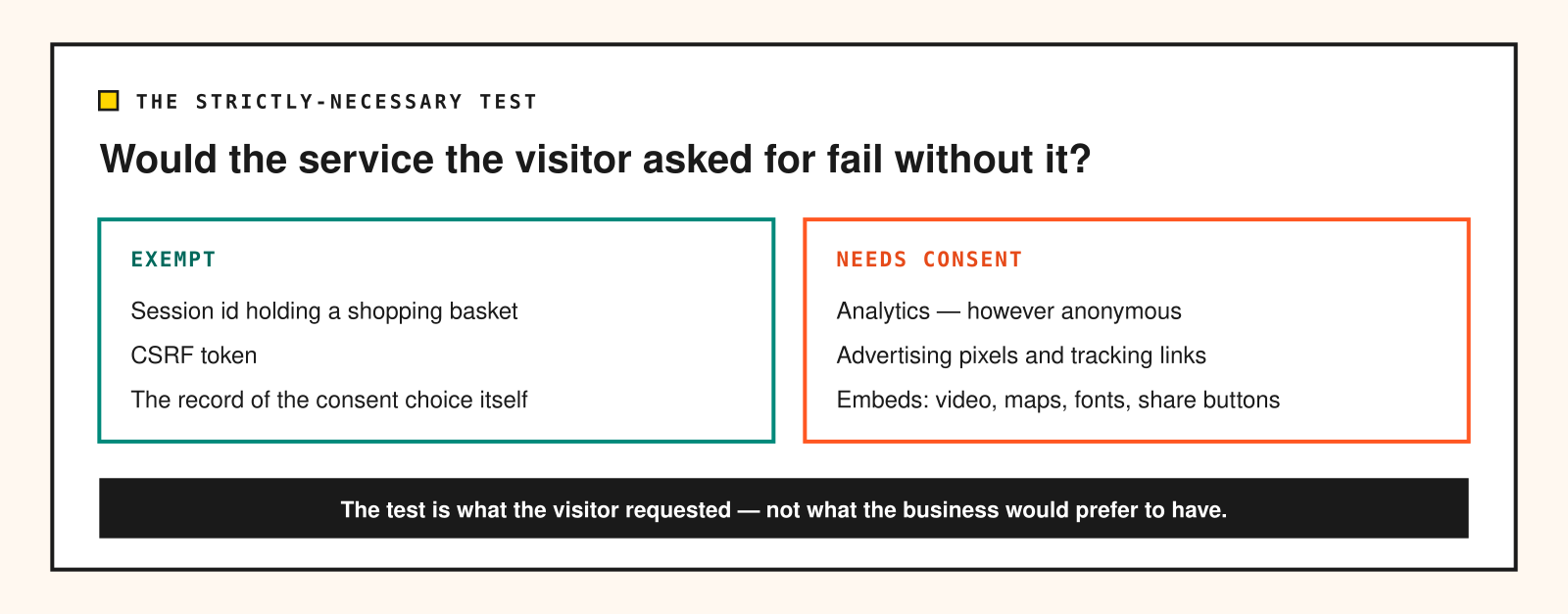
Strictly necessary is narrower than it feels. The test is whether the service the visitor explicitly asked for would fail without it — not whether the business would prefer to have it. A session identifier that keeps a shopping basket populated across page loads passes. A CSRF token passes. A cookie remembering that the visitor dismissed the newsletter overlay is arguable and usually defended successfully. Analytics does not pass, however anonymous the vendor claims it is, because the visitor did not request measurement, and the site works identically without it.
That last point is the one that generates the most resistance, and it is also the most consistently enforced. If you want measurement without a consent gate, the route is not to reclassify analytics as necessary — it is to choose an implementation that stores nothing on the device at all, which is a real engineering option rather than a legal one. The privacy analytics finder exists to compare tools on exactly that axis.
Enumerating What Your Site Sets
An accurate inventory takes an afternoon and needs no tooling beyond a browser. What it does need is discipline about the order of operations, because the common mistake is auditing a site that has already been given consent by the person auditing it.
Work in a fresh browser profile with no extensions, and open the developer tools before the first page load. In the Application panel, clear all storage for the domain, then reload and look at what appears without touching the banner: cookies, local storage, session storage, IndexedDB. Anything written at this point is being set before consent, and each entry needs to survive the strictly-necessary test on its own or be moved behind the gate.
Then repeat the pass with the Network panel open and filtered to third-party hosts. Cookies are the visible half of the problem; requests are the other half. A pixel that fires to an advertising domain sets nothing locally but still transmits the page URL, the referrer and the IP address, and the EDPB guidance treats gaining access to information on the device — including through such calls — as within scope.
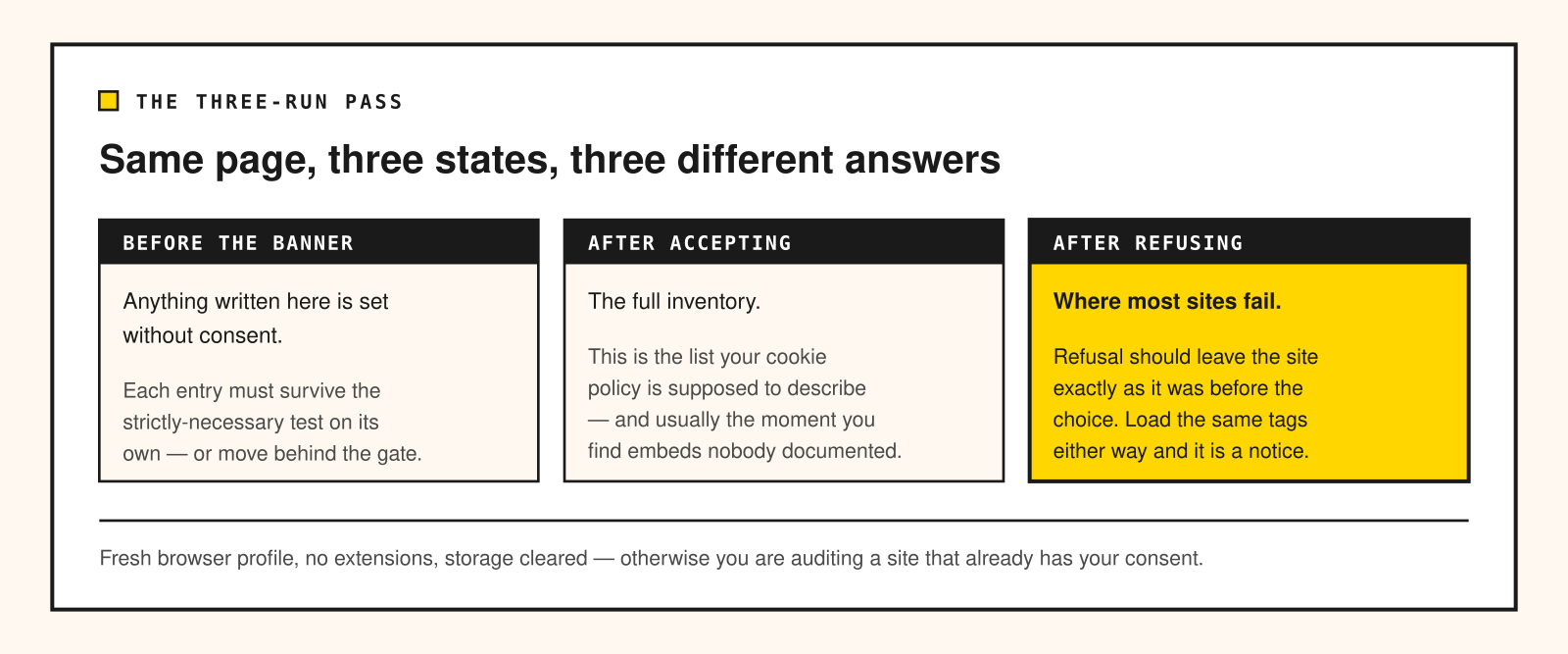
Run the sequence three times: before any interaction with the banner, after accepting, and after refusing. The third run is where most sites fail. Refusal is supposed to leave the site in the same state as before the choice, and a surprising number of consent implementations load the same tags either way, with the banner functioning as a notice rather than a gate.
Finally, walk a few real journeys — a product page, a search, a form submission, an embedded video — because tags are frequently attached to templates rather than the homepage. A site can be clean on the front page and set six advertising identifiers on the checkout.
Classifying What You Find
For every identifier, four facts determine its handling: what sets it, what purpose it serves, how long it persists, and whether it leaves your domain. The first is usually the hardest, and the honest answer for older sites is sometimes “we do not know”, which is itself the finding — an identifier nobody can attribute cannot be justified as necessary, and the safe resolution is removal rather than reclassification.
Persistence deserves more attention than it usually gets. A first-party cookie with a two-year lifetime is doing something different from one that expires with the session, regardless of how either is labelled in the banner. Long-lived identifiers are what make re-identification across visits possible, and they are the entries most worth challenging.
Where an identifier is unfamiliar, the vendor’s own documentation is the primary source, and the tracker knowledge base covers what the common ones store and for how long. Weight matters too: third-party tags carry a performance cost alongside the privacy question, which the tracker weight database quantifies. Removing a tag that nobody reads the reports from tends to be an easy decision once both numbers are visible.
The Misclassifications That Keep Recurring
Three patterns account for most of what I find on client sites.
Analytics filed under “necessary” is the most common by a wide margin, usually inherited from a consent plugin’s default configuration rather than chosen deliberately. It is worth checking the category assignments in your consent tool directly rather than trusting the banner’s summary text.
The second is the banner that sets its own tracking before the visitor answers. A consent tool needs to store the choice, and storing the choice is genuinely exempt. Some of these tools also load analytics on their own account, or write an identifier that persists across sites in their network, and that is not covered by the same exemption.
The third is scope drift in embeds. A video player, a map, a font host or a social share button can each set identifiers under their own domain, and none of them appear in a cookie policy that was written by listing your own plugins. Embeds are the reason the network pass matters — the identifier is not yours, but the decision to load the embed was.
What follows from the audit is a policy question rather than a technical one, and the requirements for a valid choice are stricter than most banners implement — I have written separately about what consent actually has to look like to count.
Doing This Once a Year Is Not Enough
Tag inventories drift because tags are added by people who are not thinking about the cookie policy: a campaign pixel for a launch, a heatmap tool for a redesign, a chat widget for a support trial that never got removed. Each is a small, reasonable decision, and none of them prompt anyone to revisit the banner.
The practical fix is to attach the check to the events that cause the drift. Anything that adds a script to the site — a new marketing tool, an embed, a plugin — gets the three-run browser pass before it ships, and the inventory is updated in the same change. That is a ten-minute habit rather than an annual project, and it keeps the document you publish matched to the site you actually run.
Start with the fresh-profile pass on your own homepage this week. Whatever appears before you touch the banner is the shortest possible list of things you need to justify, and for most sites it is already longer than expected.